
When you finish this build, you'll have a Skill sitting in your Claude account that carries your implementation runbook: the stages you run, the checks you make at each one, and the standard you hold the work to. Pick up a new customer account, tell Claude you're kicking off implementation, and it loads that runbook on its own and prepares the work your way, without you pasting the process in again or re-explaining what good looks like. The fifth account of the quarter gets the same prep as the first.
The build takes about an hour, and you'll want your last two or three implementation plans in front of you.
That's a version of a move the customer success world already trusts. Gainsight's own services team cut implementation time to value by 66% by standardizing the configuration steps that repeat across customers and giving their consultants a guided path to run on live calls. They did it inside a platform with a services org behind them. You're doing the same thing inside Claude, by yourself, in about an hour.
This build encodes the technical delivery steps inside onboarding: the configuration, the data, the integrations, the pre-work you chase. The relationship around those steps stays yours, and so does everything the Skill produces that gets close to the customer. It writes the kickoff brief; you run the kickoff. It drafts the status summary, and you decide what the customer hears and when.
runbook vs playbook: a runbook covers the how, a playbook covers who, when and why.
Why this belongs in a Skill and not a Project
Anthropic introduced Skills in October 2025 as folders of instructions and materials that Claude loads only when the work calls for them, available on Pro, Max, Team, and Enterprise plans. Loading only when the work calls for it is what makes a Skill the right home for a runbook.
A Project is a bounded workspace where context piles up around one specific piece of work, and what you upload there lives only inside it. A Skill is created once and activates in any conversation the moment the task matches, whether you're in a Project, a plain chat, or a thread you started to answer something else entirely. Your runbook is a procedure you want following you into all of them.
What you need
- A paid Claude plan (Pro, Max, Team, or Enterprise). If you're on Team or Enterprise, an admin has to enable Skills for the organization before you can turn one on, so check that first rather than finding out at stage three.
- Your last two or three implementation plans, or whatever you use in their place: the project doc, the tracker, the shared checklist.
- Your kickoff agenda or template, if you have one written down.
- One example of implementation prep you were happy with. A real one, from a real account, with the customer details you'd rather not upload removed.
Stage 1: Get the runbook out of your head
Before Claude can carry your process, you have to say it out loud. The judgment in that sequence is yours, and it's the reason this build works at all: Claude can carry a runbook and hold you to it on every account, and the standard inside it comes from the implementations you've already run.
Open a blank doc and write your implementation sequence in plain language, one stage per line. For each stage, note three things: what happens, who does it, and what tells you it's finished.
Then add the parts that never made it into any document: the question you always ask in week one, the thing you check before you'll agree to a go-live date, the point where you know an implementation is drifting. That's the material that makes this Skill yours rather than a generic checklist, and it's usually the part nobody has written down. Fifteen minutes is enough for all of it, and rough is fine, since Claude will ask about the gaps.
Checkpoint: you should have a plain list of stages with an owner and a definition of done for each, plus a handful of notes about the judgment calls you make along the way.
Stage 2: Build the Skill by talking it through
You don't have to write a file for this. Anthropic documents a conversational path for creating a Skill where you describe the workflow, answer follow-up questions, and Claude's own skill-creator assembles the properly formatted instruction file and organizes whatever you've uploaded.
Start a new conversation, attach your materials, and paste this:
I want to build a Skill that carries my customer implementation runbook, so you can run it with me on every new account.

Here's how implementation works on my accounts:

[paste your stages here, one per line: what happens, who owns it, what done looks like]

And here are the judgment calls I make that aren't written down anywhere:

[paste your notes from stage 1]

I've attached my last implementation plans and an example of prep I was happy with.

Ask me whatever you need to understand this well enough that someone capable but brand new to my company could follow it. When you have what you need, build the Skill.
Answer the questions Claude comes back with, and answer them like you're briefing a new hire rather than filling in a form. Claude may ask you things like what "readiness" means before you'll schedule a kickoff. Remember our first brick, Prompting Fluency: Learning from Claude, it may try to fill gaps if anything seems missing. If you answer "the customer has done their pre-work," you'll get filler back. The answer that produces prep you'd use names the specifics: the admin account is provisioned, the data sample is in, and someone on their side owns the integration.
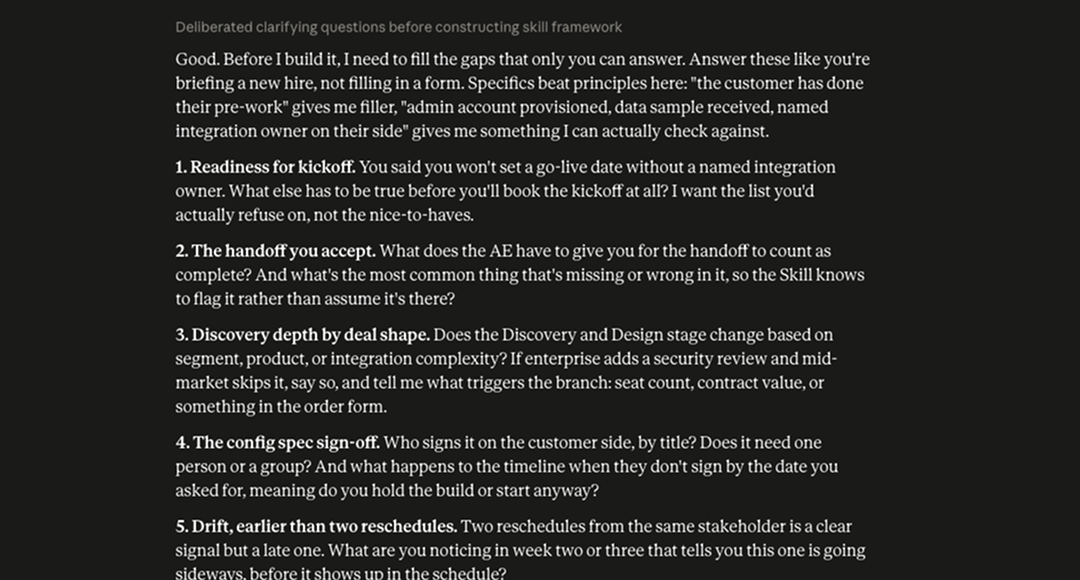
Checkpoint: Claude should hand back a finished Skill with a name, a short description of when it applies, and instructions that read like your process rather than a general onboarding template. Read the description carefully. It's what Claude checks later when it decides whether to load the Skill.
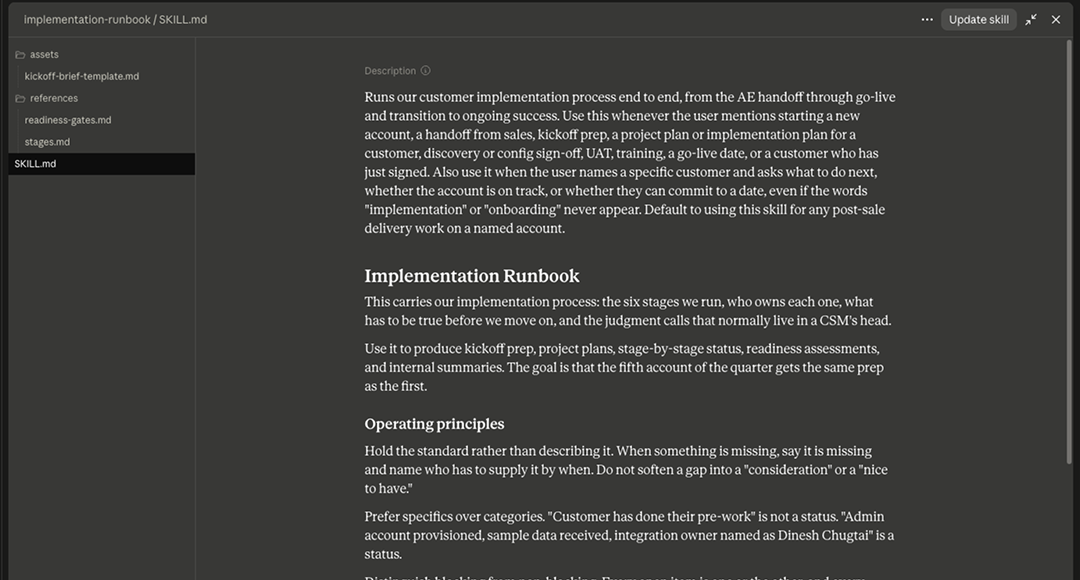
Stage 3: Turn it on
Claude hands the finished Skill off at the end of that build conversation. To start using it, go to Settings, then Capabilities, then Skills, and switch it on. This is also where your custom Skills live from here on, alongside the prebuilt examples Anthropic ships.
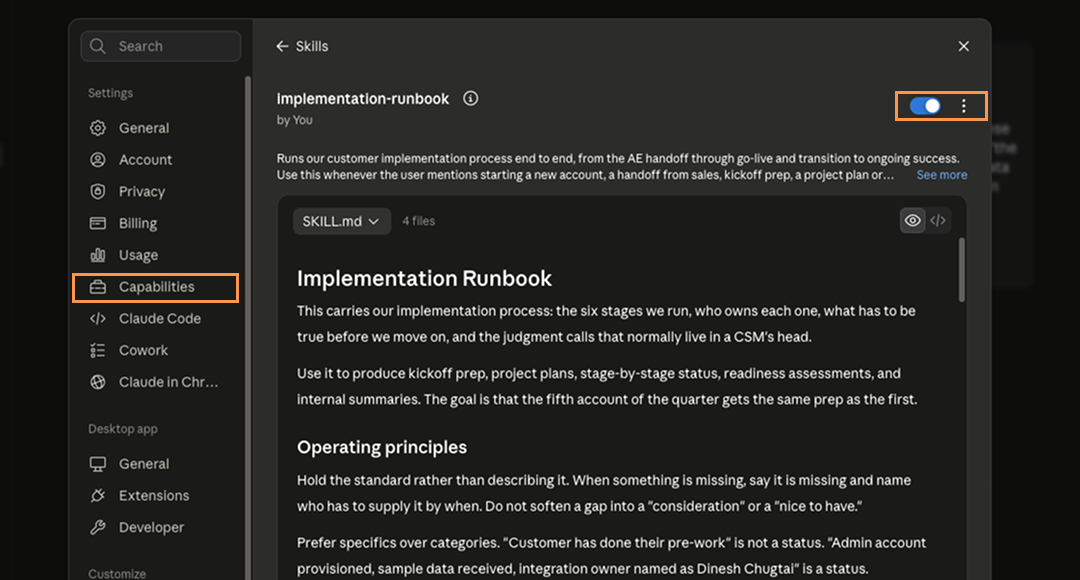
Checkpoint: the Skill appears in the list and the toggle is on. Nothing else is required. You don't select it when you want it; Claude picks it up on its own when the work matches.
Stage 4: Run it on a real account, then fix what's off
Start a new conversation and give it a real implementation, ideally one you're about to start:
I'm starting implementation for [customer name]. They bought [product or plan], their target go-live is [date], and here's everything I have so far:

[paste the sales handoff notes, the signed order details, anything from discovery]

Give me the kickoff prep for this account.
Watch Claude's thinking as it works. You're looking for a line naming the Skill, something like "Using [skill name]," which tells you it recognized the task and loaded your runbook rather than answering from scratch.
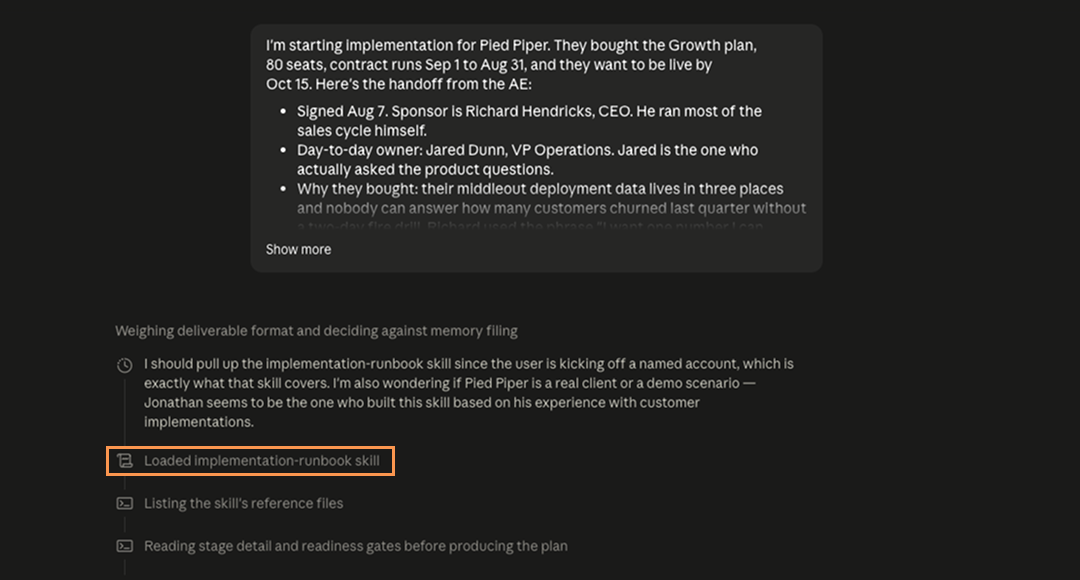
Now read the output the way you'd read a plan from a CSM on your team. Where it misses, say so, and say it about the Skill rather than about this one answer:
That's close. Two things to change in the Skill itself, not just here: [what to fix] and [what to add]. Update the Skill so it does that every time.
Two or three passes usually get it there, and because you're changing the Skill rather than the answer, each pass makes the next account better.
Checkpoint: the Skill loads without being asked, the prep follows your stages in your order, and the corrections you made are holding in a fresh conversation rather than only in the one where you made them.
What done looks like
Start a new conversation, paste in a different account, and ask for the same prep. You should get back a kickoff plan built on your stages, with your definition of done at each one, the pre-work you always chase listed as pre-work, and the questions you always ask sitting where you always ask them. It should read like something you wrote on a good day.
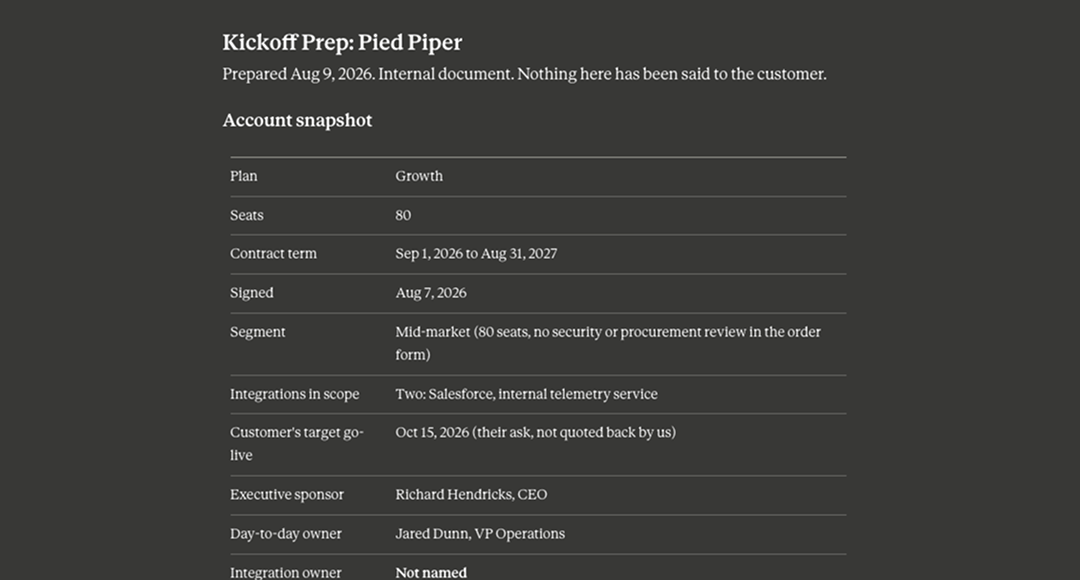
The tell that it worked is that you got there without explaining your process, and that a CSM who joined last month would have gotten the same thing.
Making it yours
If you run different implementations by segment, resist the urge to build three Skills. Put the segment logic inside the one Skill ("enterprise implementations add a security review before kickoff, mid-market skips it") so Claude picks the right path from the account details you give it.
If a separate implementation team owns delivery and hands accounts to you at go-live, encode the handoff instead of the build. You keep the same stages and checkpoints and change where you're standing: what you need to have received, what you verify before you accept the account, what you ask the implementation lead before they disappear.
And if your templates are the real asset, upload them into the Skill rather than describing them. A Skill can carry reference materials alongside its instructions, which means Claude can work from your kickoff deck and your project plan instead of an approximation of them.
Run it on the next account you start. The runbook you've been carrying in your head is about to start showing up on its own.